Instagram Reels Ideas for Small Businesses (No Dancing)
50 Reel ideas for shops, cafés, salons, gyms and clinics that need no trends or dancing, a phone shot list, and the current Reels length and size facts.
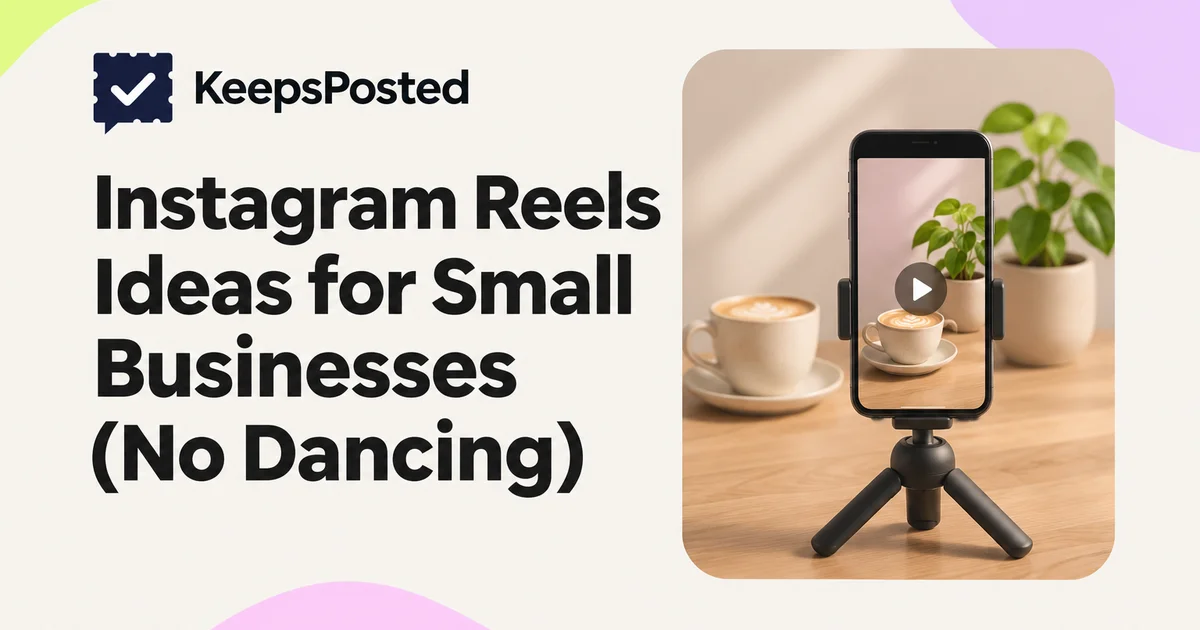
The easiest Reels for a small business show work that is already happening: a pour, a cut, a delivery, a room being set, a product being packed. Film five short clips on your phone, keep the finished Reel under a minute, put the key point in on-screen text, and post. No trend audio, no dancing, no face if you would rather not.
Below are 50 ideas grouped by business type, a shot list for filming on a phone, a planning card, and the Reels facts we checked on 10 November 2026, including the three-minute line Instagram uses for recommendations.
Reels facts to know first
| Fact | What we found | Source and confidence |
|---|---|---|
| Recording length in the app | Up to 20 minutes in the Reels camera, since a camera update in late November 2025 | Social Media Today, 23 November 2025 (trade press) |
| Length Instagram recommends to new viewers | Instagram said it will only recommend Reels under 3 minutes long. Longer Reels can still be seen by followers. | Social Media Today, 23 November 2025, quoting Instagram |
| Uploading from your camera roll | Reported as up to 15 minutes. Meta's developer reference also lists 15 minutes maximum and 3 seconds minimum for Reels posted through tools. | Buffer guide (secondary); Meta for Developers (primary, for tools) |
| Shape | Vertical 9:16 is recommended to avoid cropping or blank space, usually 1080 by 1920 pixels | Meta for Developers (9:16); Buffer (pixel size) |
| Hashtags | Up to five per Reel, same as posts | Social Media Today, 18 December 2025 |
| What reduces reach to non-followers | Low resolution, watermarks from other apps, muted audio, borders, mostly text, or content already posted on Instagram | Instagram's "Ranking explained" by Adam Mosseri (31 May 2023, primary) |
Two more points that matter for a business. First, Instagram has cut recommendations for accounts that mostly repost other people's content, and in April 2026 extended that from Reels to photos and carousels, according to trade press. Film your own work. Second, an agency summary of Meta's Reels playbook (October 2024) lists Meta's suggestions as 15 to 30 seconds, 1080p, three to five Reels a week, and captions for people watching with the sound off. Treat those as suggestions, not rules.
10 ideas that work for any business (1 to 10)
- 1. Opening up. Keys in the door, lights on, sign flipped, first customer. Four clips, about 12 seconds.
- 2. How it is made, sped up. One product from start to finish, filmed from a fixed spot. Use the phone's time-lapse.
- 3. One question, answered. Text on screen: the question customers ask most. Then the answer, shown rather than said.
- 4. What [price] gets you. Every item or step included in one service or product, one clip each, with the price on screen.
- 5. Packing an order. Hands, tissue paper, label, tape. Packing sound works on its own as audio.
- 6. Delivery day. Boxes arriving, unpacking, the new stock on the shelf. Name the supplier only if they agree.
- 7. Before and after. A shelf restocked, a room set, a car cleaned, a garden cleared. Same angle for both shots.
- 8. Meet the team, one clip each. Each person waves or holds the thing they are known for, with name and role on screen. Ask first.
- 9. The detail most people miss. A slow close-up of the finishing touch: the stitch, the glaze, the fold.
- 10. Closing down. Chairs up, till counted, lights off. A calm ending people watch to the end.
Cafés and bakeries (11 to 15)
- 11. The first pour of the day, with the sound of the steam wand. Text: opening time.
- 12. Dough to loaf. Shaping, scoring, oven door, the crust cracking as it cools.
- 13. Today's counter, left to right. A slow pan with prices on screen.
- 14. How we make the [house drink]. Each ingredient going in, one clip each. Check allergens before you name them.
- 15. The 7 a.m. rush in 10 seconds. Fixed camera on the counter, time-lapse. Blur or avoid customer faces.
More for these businesses in café social media and bakery social media.
Restaurants (16 to 20)
- 16. A dish from pan to pass, with kitchen sound. Name the dish and price on screen.
- 17. Setting the room before service. Cloths, glasses, candles, the door opening.
- 18. The special, in three clips. The raw ingredient, the cooking, the plate.
- 19. Ask the chef one question. Voice off camera, hands on screen if the chef prefers not to be filmed.
- 20. What is still free this weekend. The empty table, set, with the days and times on screen.
Hair salons and barbers (21 to 25)
- 21. The transformation. Before, two process clips, after. Get the client's written consent and do not edit the result.
- 22. What to ask for. Show a cut and put the words to say at the booking on screen: "skin fade, number 2 on top".
- 23. Consultation in 15 seconds. Hands showing length and texture, with text on what you checked.
- 24. Tool close-ups. Clippers, scissors, a straight razor, each with a one-line caption on what it is for.
- 25. How to style it at home. One product, three steps, filmed on a mannequin head or a willing staff member.
See hair salon social media and barber shop social media for consent and before-and-after rules.
Gyms, yoga and fitness studios (26 to 30)
- 26. One exercise, done right. A coach demonstrates, with two cues on screen.
- 27. Your first class, step by step. Door, check-in, mat, warm-up. Answers the fear of walking in.
- 28. The room before class, mats laid out, lights low, with the class time on screen.
- 29. Equipment explained. "What this machine is for", one clip per machine.
- 30. Common mistake, quick fix. Wrong form, then right form, side by side. No promises of weight loss or results.
Shops, boutiques and florists (31 to 35)
- 31. New arrivals rail, one item per second, with price stickers visible.
- 32. Three ways to wear or use one item. Same item, three quick setups.
- 33. Building a bouquet from bare stems to wrapped, top-down.
- 34. Gift wrapping an order at the counter, start to bow.
- 35. A walk through the shop from the door to the till, at walking pace, so new customers know what to expect.
Hotels and B&Bs (36 to 39)
- 36. Opening the room door. Door, bed, window, view, in one smooth walk. Room type on screen.
- 37. Breakfast being set, from empty table to full spread.
- 38. Five minutes from our door. The walk, the café, the beach or the station, one clip each.
- 39. Turning a room around between guests, sped up.
Clinics and spas (40 to 43)
- 40. A tour of the treatment room, with text on what each piece of equipment is for.
- 41. What happens at your first appointment, in four clips: reception, forms, room, aftercare leaflet.
- 42. How we clean between clients, step by step.
- 43. Answering one common question, spoken by a qualified person, without promising outcomes.
Trades, home services and pet care (44 to 50)
- 44. Job in 15 seconds. Arrive, problem, fix, tidy finish. No client address or house number on screen.
- 45. What is in the van. A slow pan with labels for each tool.
- 46. How to spot [common problem] early, shown on a real part or surface.
- 47. How we quote, step by step, so customers know what to expect.
- 48. Groom from arrival to bow. Muddy, bath, dry, trim, photo. Owner's consent first.
- 49. Calm handling. How you settle a nervous dog or cat, slowly and without a soundtrack.
- 50. Tidy-up. Dust sheets folded, floor swept, tools packed. It shows care better than any caption.
Pet businesses have more in pet groomer social media.
Shot list for filming on a phone
You do not need a tripod, lights or an editing course. You need five clean clips. Most of the ideas above work with this pattern.
Before you press record
- Wipe the lens with a soft cloth.
- Hold the phone upright (vertical) for every clip.
- Face the light: stand with the window behind you, so it falls on the subject.
- Tap and hold on the subject to lock focus and exposure.
- Clear the background of bins, cables, paperwork and anything with customer details.
- Ask anyone who will be recognizable, and get written consent for customers.
| Clip | Shot | Length | Tip |
|---|---|---|---|
| 1. Hook | The most interesting moment, or the finished result | 2 to 3 seconds | Put a short line of text on it: what this Reel shows |
| 2. Wide | The whole scene: counter, room, chair, van | 3 to 4 seconds | Hold still. Let the scene do the work |
| 3. Close-up | Hands doing the work | 3 to 5 seconds | Move the phone closer instead of zooming |
| 4. Detail | The finishing touch, texture or label | 2 to 3 seconds | Slow, steady movement or none at all |
| 5. Result | Finished product, room or person, plus the next step | 3 to 5 seconds | Text: price, day, how to book |
- Record each clip a little longer than you need, about five seconds, and trim later.
- Record 10 seconds of room sound (the coffee machine, the clippers, the street). It makes a good soundtrack you own.
- Keep on-screen text in the middle of the frame, away from the top and bottom edges where Instagram's buttons and caption sit.
- Turn on captions in the editor if anyone speaks, so people watching on mute can follow.
- Pick a cover frame that shows the subject clearly, because it also appears on your profile grid.
Music: the tracks offered in the app can differ by account type and country, and we could not confirm the current rules for business accounts. Your own room sound or a short voiceover avoids the question entirely, and these ideas are designed to work without music.
A Reel planning card
Reel plan
Fill this before you film. It takes two minutes and halves the editing.
- Idea number from this list
- [for example: 12, dough to loaf]
- On-screen hook line
- [six words or fewer: "From dough to loaf in 20 seconds"]
- Clips
- [1 hook, 2 wide, 3 close-up, 4 detail, 5 result]
- Audio
- [room sound / voiceover / no audio]
- Final text on screen
- [price, day, how to book]
- Caption
- [one sentence on what it shows, one fact, one next step]
- Consent checked
- [names of anyone recognizable]
- Hashtags
- [up to five]
For the caption, borrow a starter from 120 Instagram caption ideas. For tags, see Instagram hashtags for small businesses.
Fitting Reels into a normal week
One Reel a week next to two or three photo posts is a sustainable start for a busy owner. Film the clips on your quietest day, and keep a folder of spare clips for weeks when nothing gets filmed. For how many posts to aim for, see how often to post.
A note on tools, to be clear: KeepsPosted publishes single-image posts to Instagram and Facebook today, not video. You would film and post Reels in Instagram yourself, and KeepsPosted can draft and schedule the photo posts around them from your own pictures.
Mistakes to avoid
- Reposting a video downloaded from another app with its watermark. Instagram has said watermarked and recycled content gets less distribution.
- Reposting someone else's viral clip as your own. It risks your account's eligibility for recommendations, and it is not your work.
- A slow first two seconds. Start with the most interesting frame, not a logo.
- Text at the very top or bottom where it is covered by buttons and the caption.
- Customers in the background who did not agree to be filmed.
- Going long for no reason. Anything over three minutes will not be recommended to new viewers, according to Instagram as reported in November 2025.
- Promises in the video you would not put in writing: results, "best in town", health claims.
Common questions
How long should an Instagram Reel be for a business?
Most of the ideas here fit in 10 to 45 seconds. Instagram has said it only recommends Reels under three minutes to new audiences, and an agency summary of Meta's playbook suggests 15 to 30 seconds. Make it as long as the idea needs and no longer.
Do I have to show my face in Reels?
No. Hands, tools, products and rooms carry most of the ideas above. A short voiceover or on-screen text can do the talking.
Do I need trending audio?
No. Your own room sound, a voiceover or no audio with clear on-screen text all work for the ideas in this list, and they avoid music licensing questions.
How many Reels should a small business post?
Start with one a week if video takes you time. Meta's suggestion, as summarized by an agency, is three to five a week, but a pace you can keep matters more than the number.
What size should a Reel be?
Vertical 9:16, usually 1080 by 1920 pixels. Keep important text in the middle of the frame.
Sources
- Social Media Today: Instagram updates Reels camera, 20-minute recording, under-3-minute recommendations (23 Nov 2025) (checked 10 Nov 2026)
- Meta for Developers: IG User Media reference (Reels specifications) (checked 10 Nov 2026)
- Buffer: Instagram Reels length (upload limit, 1080 x 1920) (checked 10 Nov 2026 (secondary))
- Instagram: Instagram Ranking Explained, Adam Mosseri (31 May 2023) (checked 10 Nov 2026)
- Tubefilter: Instagram removes recommendations for repost-heavy accounts (30 Apr 2026) (checked 10 Nov 2026)
- Hallam: Insights from Meta's Reels playbook (22 Oct 2024, agency summary) (checked 10 Nov 2026 (secondary))
- Social Media Today: Instagram limits hashtags to five (18 Dec 2025) (checked 10 Nov 2026)
Written by the KeepsPosted editorial team with AI assistance for drafting and a person reviewing every claim. The Reel ideas, five-clip pattern and planning card are our own editorial suggestions, not measured results. Reels limits come from dated trade press and Meta's developer reference; Instagram's help pages did not render for us.
Keep reading
How Often Should a Small Business Post on Instagram?
A realistic posting rhythm for a business with little time: what brands actually post per month, how formats compare, and a starter plan.
Turn Your Own Photos Into Instagram and Facebook Posts
How to pick, crop, caption and sequence photos you already have into posts that look consistent: sizes, carousels, alt text and what to leave out.

What to Post When You Have No Time to Plan Content
Twelve post types you can make from what already happens in your business, a 15-minute weekly routine, and what to skip when the week falls apart.