Instagram's 24-Hour Messaging Window, Explained
The three clocks behind Instagram messaging tools: 24 hours to reply, 7 days for one private reply to a comment, 7 days for human support replies.
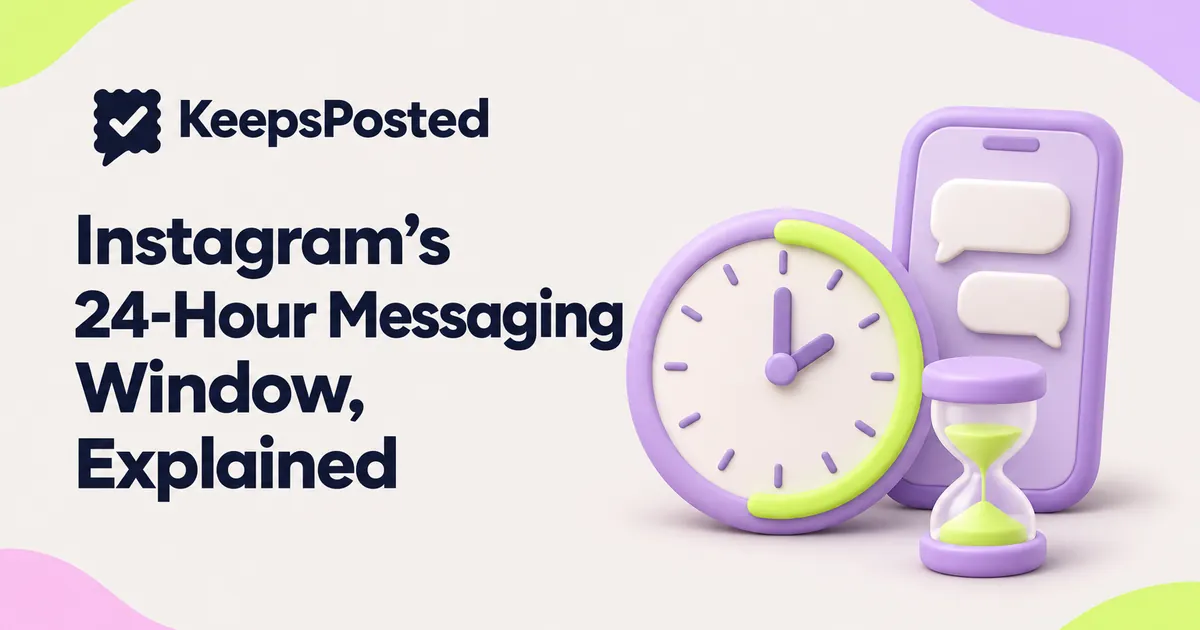
When a customer messages your Instagram business account, any app or tool that replies through Meta's messaging API has 24 hours from that customer's last message to answer freely. After that, the door mostly closes until the customer writes again.
There are two other clocks that people mix up with it. A private reply to a comment can be sent once, within 7 days of the comment. And a person on your team can answer a support question for up to 7 days using Meta's Human Agent tag, if the tool you use has Meta's approval for it. This guide shows what starts each clock, what restarts it, and what does not, then gives a daily routine so you rarely hit any of them.
The three clocks at a glance
| Clock | Starts when | How long | What you can send | Restarts when |
|---|---|---|---|---|
| Standard window | The customer messages you, taps a button in the chat, or reacts to a message | 24 hours from that action (up to 7 days after a click-to-Instagram ad) | Anything relevant, including offers | The customer does another of those things |
| Private reply to a comment | Someone comments on your post or reel | 7 days from the comment | One message, then you wait | It does not. One comment, one private reply |
| Human Agent tag | The customer's last message | 7 days from that message | A reply typed by a person, about their question. No promotions | The customer messages again |
The first and third clocks run from the same moment, the customer's last message. They run side by side: for the first 24 hours anything relevant is allowed, and from hour 24 to day 7 only a human support reply is, and only through an approved tool.
Clock 1: the 24-hour standard window
Meta's policy for the Messenger Platform and the Instagram Messaging API calls this the standard messaging window. It says the length depends on the action that opens it, and that for most actions it lasts 24 hours. Inside it, Meta says messages may include promotional content.
These actions open or restart it, according to Meta's policy and its Send a Message page:
- The customer sends a message to your Instagram professional account or Facebook Page.
- The customer taps a call-to-action button in the conversation, such as Get Started or a menu option.
- The customer reacts to one of your messages.
- The customer opens an existing chat through an ig.me link that carries a reference code. Meta's ig.me page says this resets the 24-hour window.
- The customer clicks a click-to-Instagram (Click-to-Direct) ad and sends a first message. Here the window may last up to 7 days from that message.
What does not restart it
Meta lists the actions that open the window. Anything not on that list should be treated as not opening it, and the window is measured from the customer's action, not from when a tool happens to process it. In practice:
| Event | Restarts the 24 hours? |
|---|---|
| Customer sends a new message, even "ok" | Yes |
| Customer taps a quick reply or menu button you sent | Yes |
| Customer reacts to your message with a heart | Yes |
| Customer reads your message (seen receipt) | No, reading is not on Meta's list |
| Customer clicks a website link inside your message | No |
| You send another message | No, only the customer's actions count |
| Customer likes your post or views your story | No |
Clock 2: one private reply within 7 days of a comment
A comment is not a conversation. Meta's private replies page for Instagram says a business can send a private reply within 7 days of when the comment was created, and that only one message can be sent to the person who commented. For comments on a live broadcast, the reply can only be sent during the broadcast.
The same page says the conversation can continue only when the person responds. Their reply opens the normal 24-hour window from Clock 1. If they follow your account, your private reply lands in their main inbox; if they do not, it lands in their message requests, where it is easy to miss.
- Make the one message complete. Put the answer or link in the private reply itself, not "DM us for details".
- Do not wait until day 6. A reply a week after the comment reads as spam, even when it is allowed.
- Expect requests folders. Mention in the caption that you will send a DM, so non-followers know to look.
How to build the keyword flow is covered in How to Set Up Comment-to-DM on Instagram, and why a reply sometimes never arrives is in Instagram Comment-to-DM Not Working? Check These.
Clock 3: human replies up to 7 days, with the Human Agent tag
Message tags let an app send outside the 24-hour window for approved uses. For Instagram, Meta's Graph API reference says only one tag is available, HUMAN_AGENT, for a message sent by a human agent in response to the customer's inquiries, within 7 days after the customer's last message. Meta's Send a Message page adds that message tags may not be used to send promotional content.
Three conditions all have to hold:
A person writes it
The reply is typed by someone on your team about the customer's question. An automated follow-up, a bot reply or a scheduled sequence does not qualify.
It is support, not selling
"Your refund went through today" fits. "Here's 20% off your next visit" does not, even to a happy customer.
The tool is approved
Meta's App Review page for Instagram messaging lists Human Agent as an optional feature that an app requests separately, with a screen recording of a human agent responding to a message. A tool without that approval cannot send after 24 hours.
KeepsPosted's Inbox, for example, lets you reply to Instagram and Facebook DMs, and uses the Human Agent tag for replies between 24 hours and 7 days, for support replies only, once Meta approves it for the app. Ask any inbox tool you consider whether it has that approval today.
Does this apply when you reply in the Instagram app?
These clocks come from Meta's developer policy for apps that send through the Messenger Platform and the Instagram Messaging API. That is how inbox tools, chatbots and comment-to-DM tools send messages. Meta's developer pages do not describe the same limits for a reply you type yourself in the Instagram app or in Meta's own inbox, and we could not find a Help Center page that states a limit either way.
In practice, if a third-party tool tells you the window has closed, you can usually still answer from the Instagram app. Treat that as a fallback, not a plan. A customer who waited three days is already unhappy, and a late reply in any app does not fix that.
Three example timelines
These are fictional examples for a café that uses an inbox tool. Times are the café's local time.
| When | What happens | Clock status |
|---|---|---|
| Mon 8:40pm | Customer asks if you can seat six on Saturday | 24-hour window open until Tue 8:40pm |
| Tue 9:15am | You reply with two times and ask which suits | Still open. Your message does not extend it |
| Tue 11:02am | Customer: "7pm please" | Restarted, now open until Wed 11:02am |
| Fri 10:00am | You want to send a reminder | Window closed. A reminder is not a support answer, so do not use the Human Agent tag. Send it from the Instagram app or skip it |
| When | What happens | Clock status |
|---|---|---|
| Sat 2:00pm | Someone comments "MENU" on your new reel | Private reply possible until the next Sat 2:00pm |
| Sat 2:01pm | Your tool sends one private reply with the menu link | Private reply used up for this comment |
| Sat 2:30pm | They reply "Do you have vegan options?" | Standard 24-hour window now open |
| Sun 9:00am | You answer about vegan dishes | Allowed, inside 24 hours |
| When | What happens | Clock status |
|---|---|---|
| Sat 6:00pm | Customer says their cake order was wrong | 24-hour window until Sun 6:00pm |
| Sun | Nobody is on shift | Window closes at 6:00pm |
| Mon 10:00am | Manager writes a personal apology and explains the refund | Allowed only as a Human Agent reply from an approved tool, up to Sat 6:00pm. Or reply in the Instagram app |
| Mon 10:00am | Manager adds "and 15% off your next order" | Keep the goodwill offer out of a tagged message. Make the apology the message |
A daily response routine for a small business
If someone on your team opens messages three times a day, you will almost never meet the 24-hour limit. This is our suggested routine, not a Meta rule. Adjust the times to your opening hours.
| When | Do this | Why |
|---|---|---|
| Before opening | Clear everything that arrived overnight. Answer bookings for today first | Overnight messages are the closest to their 24-hour limit by evening |
| Midday | Answer new questions. Flag anything you need to check with a promised time | Keeps first replies within a few hours |
| Before closing | Answer the rest. Send anything you promised today | Nothing waits overnight without a reply |
| Last thing | Check comment-to-DM replies and message requests | Requests from non-followers are easy to miss |
| Weekends | One check per day, even on closed days, or an away message that says when you will reply | A Saturday message is out of the window by Sunday evening |
Five habits that keep you inside the window
- First reply within a few hours, even if it is "Checking with the kitchen, back to you by 3pm".
- End open questions with a question, so the customer's answer restarts the clock.
- Never promise "we'll message you next week" in a DM. Ask them to message you, or take an email or phone number for that.
- Keep offers and promotions inside the first 24 hours, or put them in a post.
- Write down who owns a conversation when a shift ends. A one-page handoff sheet is in Manage Instagram and Facebook Messages in One Inbox.
Fast first replies are easier with ready wording. Instagram DM Reply Templates for Local Businesses has editable replies for prices, bookings, complaints and more. If you are deciding which messages to automate at all, start with Instagram DM Automation: What to Set Up First.
Common questions
Can I message a customer on Instagram after 24 hours?
A tool using Meta's API can send a human-written support reply for up to 7 days after the customer's last message, using the Human Agent tag, if Meta has approved that feature for the tool. Promotional messages are not allowed outside the 24 hours. Meta's developer pages do not describe the same limit for replies typed in the Instagram app.
Does reading my message reopen the 24-hour window?
No. Meta's list of actions that open the window includes sending a message, tapping a button, reacting to a message and a few link and ad entry points. A seen receipt is not on it.
How long do I have to reply privately to a comment?
Meta's private replies page says 7 days from when the comment was created, and only one message. If the person replies to it, a normal 24-hour window opens.
Can I send a discount code with the Human Agent tag?
No. Meta says message tags may not be used to send promotional content. Keep tagged replies to the customer's question, and share offers in posts or inside the first 24 hours.
Sources
- Meta for Developers: Messenger Platform and IG Messaging API policy (standard messaging window, message tags) (checked 12 Nov 2026)
- Meta for Developers: Send a Message (actions that open the window; tags not for promotional content; Human Agent 7 days) (checked 12 Nov 2026)
- Meta for Developers: Instagram Messaging, private replies (7 days, one message, Inbox or Requests) (checked 12 Nov 2026)
- Meta for Developers: Graph API, Page messages reference (only HUMAN_AGENT for Instagram; 7 days after last message) (checked 12 Nov 2026)
- Meta for Developers: Instagram Messaging App Review, apps for other businesses (Human Agent feature, screen recording) (checked 12 Nov 2026)
- Meta for Developers: Instagram Messaging, ig.me links (resets the 24-hour window on existing threads) (checked 12 Nov 2026)
- Meta for Developers: Instagram Messaging overview (escalation path to a human agent required) (checked 12 Nov 2026)
Written by the KeepsPosted editorial team from Meta's developer pages listed above, read on 12 November 2026, with AI assistance for drafting. The clock rules come from Meta; the example timelines and the daily routine are our own suggestions.
Keep reading
Instagram DM Automation: What to Set Up First
Which Instagram auto replies to turn on first, what each needs and what can go wrong, with a set-up order for local businesses and opt-out and hand-off rules.
Manage Instagram and Facebook Messages in One Inbox
Run Instagram and Facebook messages from one inbox with a small team: triage order, a who-answers-what rota and a shift-handoff sheet you can copy.
Instagram DM Reply Templates for Local Businesses
41 editable Instagram DM replies for prices, bookings, hours, allergens, delivery, complaints, refunds, collabs, jobs and spam, plus when to stop and call.